
Question: I want to connect my iPad to the classroom Apple TV but I can't find my room in the AirPlay list. Can you help?
Answer: Yes we can help. There are a few things you can try.
1. First try turning the WiFi on your iPad off and back on again. If you still don't see the classroom in the AirPlay list, continue to step 2.
2. If no one in the class can see the classroom listed but can see other classrooms, then AirPlay might not be on. Here's how you can check:
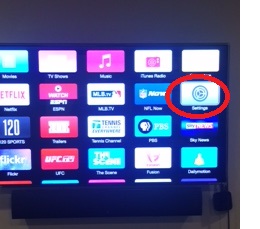
Using the Apple TV remote click on the Settings icon from the main menu screen
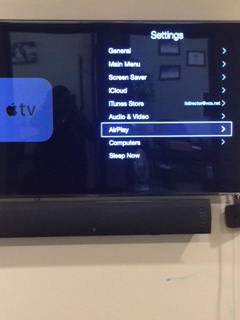
On the next screen scroll down to select AirPlay
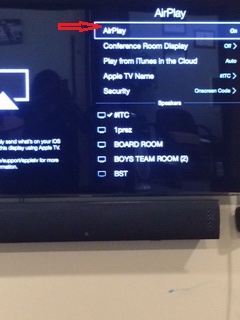
Next, make sure AirPlay is on. If not, select it to turn it on. Shortly your classroom should be visible in the list.
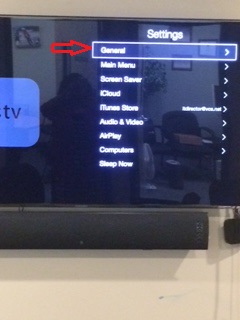
Finally, if AirPlay is on and you still don't see your classroom, Restart the Apple TV. To do this go back to Settings =>General=>Restart (Note: be sure you do NOT choose Reset)
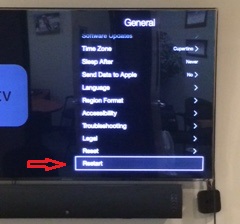
Your classroom should now be listed in AirPlay.
If after trying the above steps, you still don't see your classroom in AirPlay, contact Helpdesk for further assistance.
Comments
0 comments
Please sign in to leave a comment.