
1. Go to https://vcs.zoom.us and sign in with your VCS email address and password
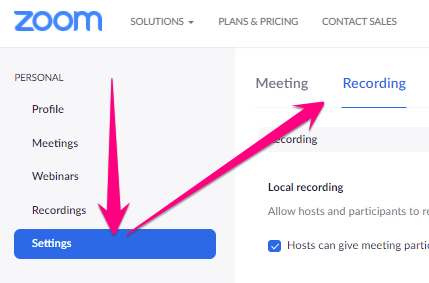
2. Click Settings, then click Recording
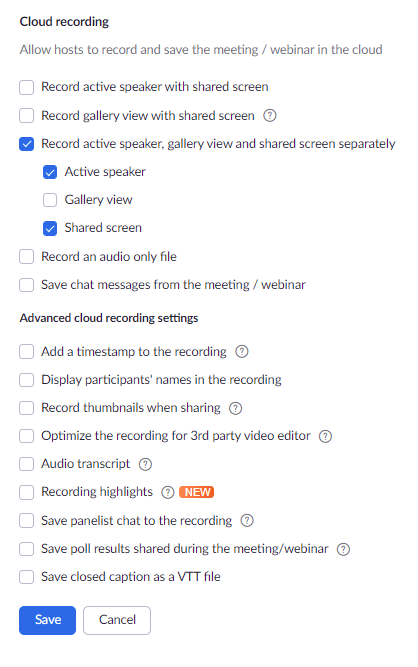
3. Select Cloud recording settings and click Save
- The settings below are recommendations for direct instruction and Back to School Night
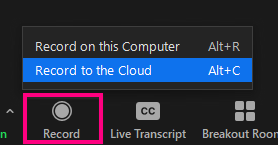
4. Start your Zoom recording and click Record > Record to Cloud
5. Present and end meeting when finished
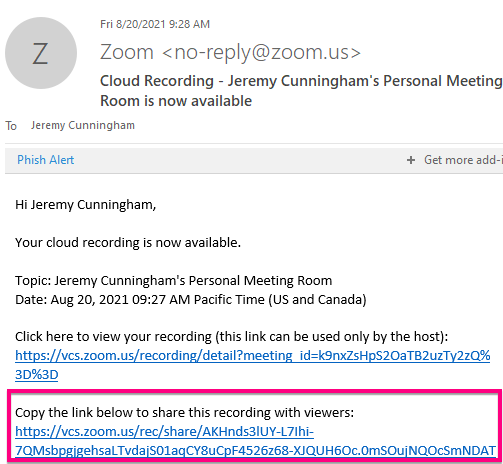
6. You will receive an email from Zoom momentarily with a link to your recording. Click the link to preview and share this link with your intended audience
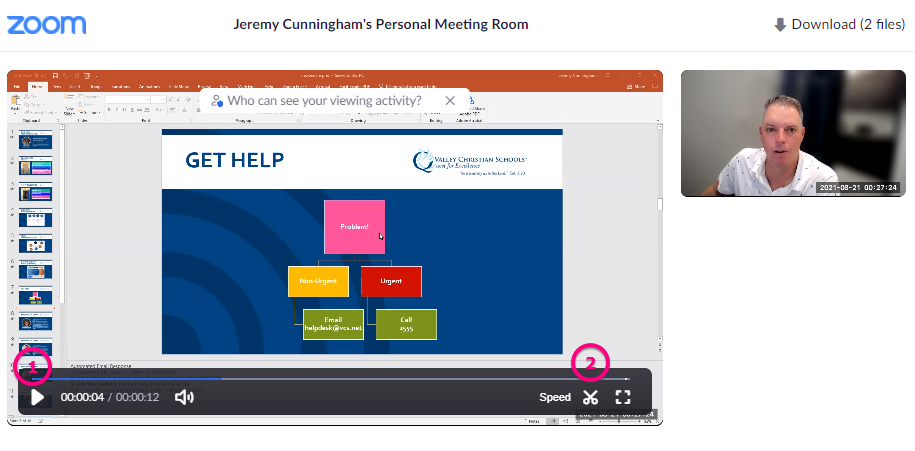
7. You can also use the trim tool to cut off any extra time in the beginning or end of your video, if you want
Comments
0 comments
Please sign in to leave a comment.