
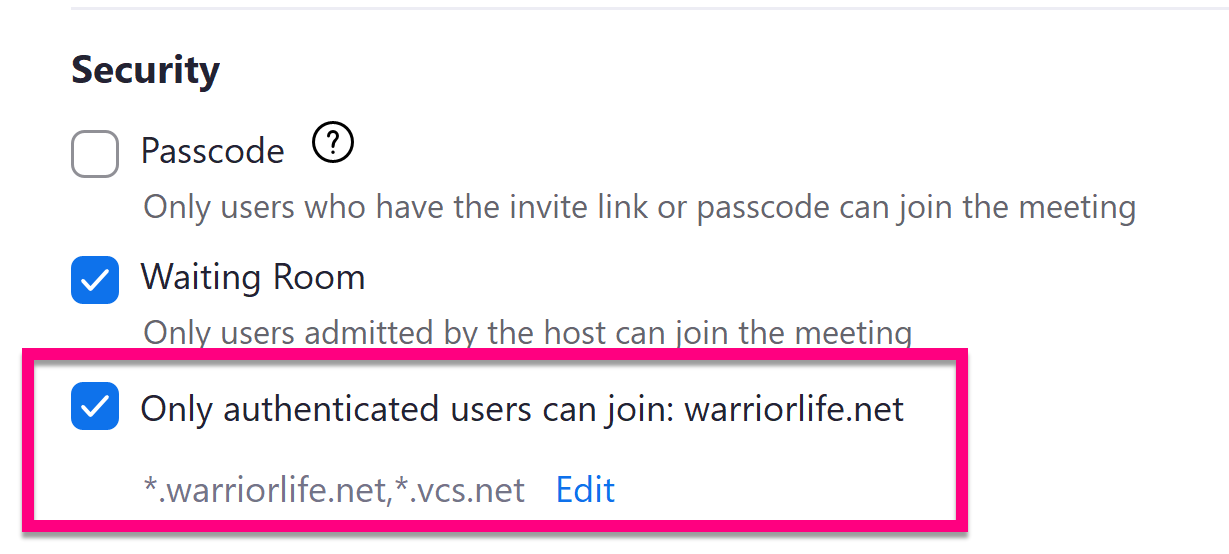
To allow only VCS and Warriorlife participants in your Zoom classroom:
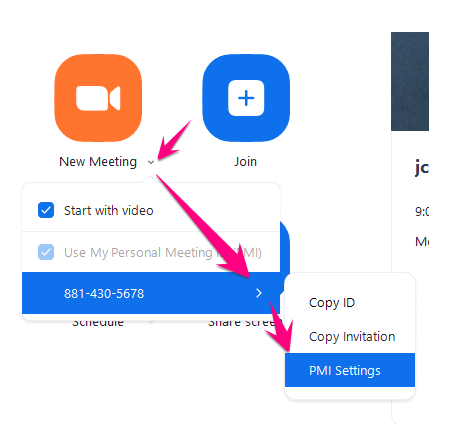
1. Open Zoom > Click the down arrow next to New Meeting > click the side arrow next to your PMI number > Click PMI Settings
2. Click Advanced Options and change "Only authenticated users can join" from "warriorlife.net" to "Public", then click Save
Comments
0 comments
Please sign in to leave a comment.