
To use Apple AirPods with Zoom on a PC, you can only use your AirPods to hear and you must use your laptop's microphone to speak.
1. Search for and open Sound Mixer Options

2. Select Headphones AirPods Stereo option for output and the internal microphone for input

3. Close the Sound Mixer Options window
4. Start a Zoom meeting
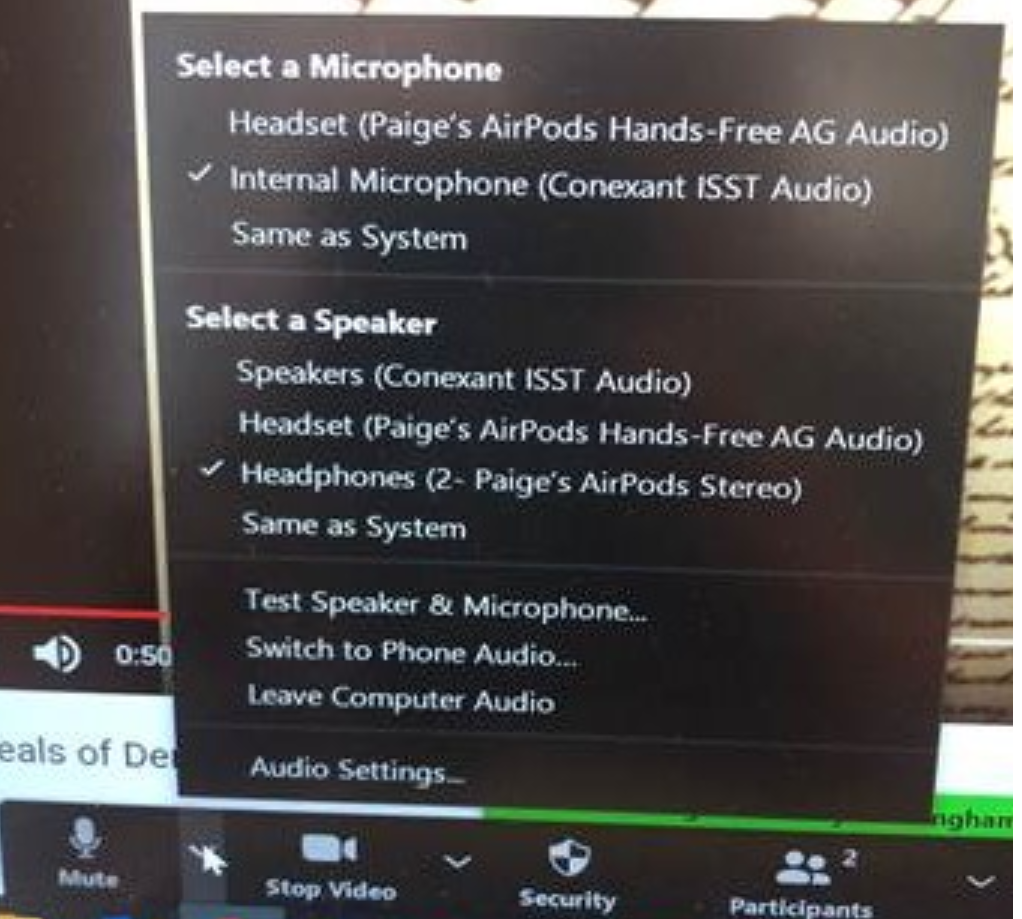
5. Select Internal Microphone as your Zoom microphone and your AirPods Stereo option as a speaker
Comments
0 comments
Please sign in to leave a comment.