
Zoom recommends you check these 3 settings before you start every Zoom meeeting
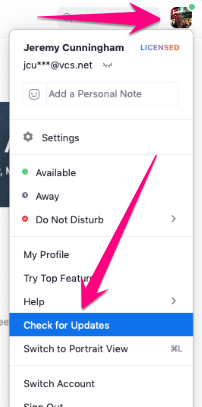
1. Confirm you're signed in to your VCS Zoom account and check for updates

- If you are not signed in to your VCS Zoom account, sign out and back in using these steps: https://valleychristian.zendesk.com/hc/en-us/articles/360046683571-How-to-Sign-in-to-VCS-Zoom-using-SSO
2. Check for Zoom updates and install if available
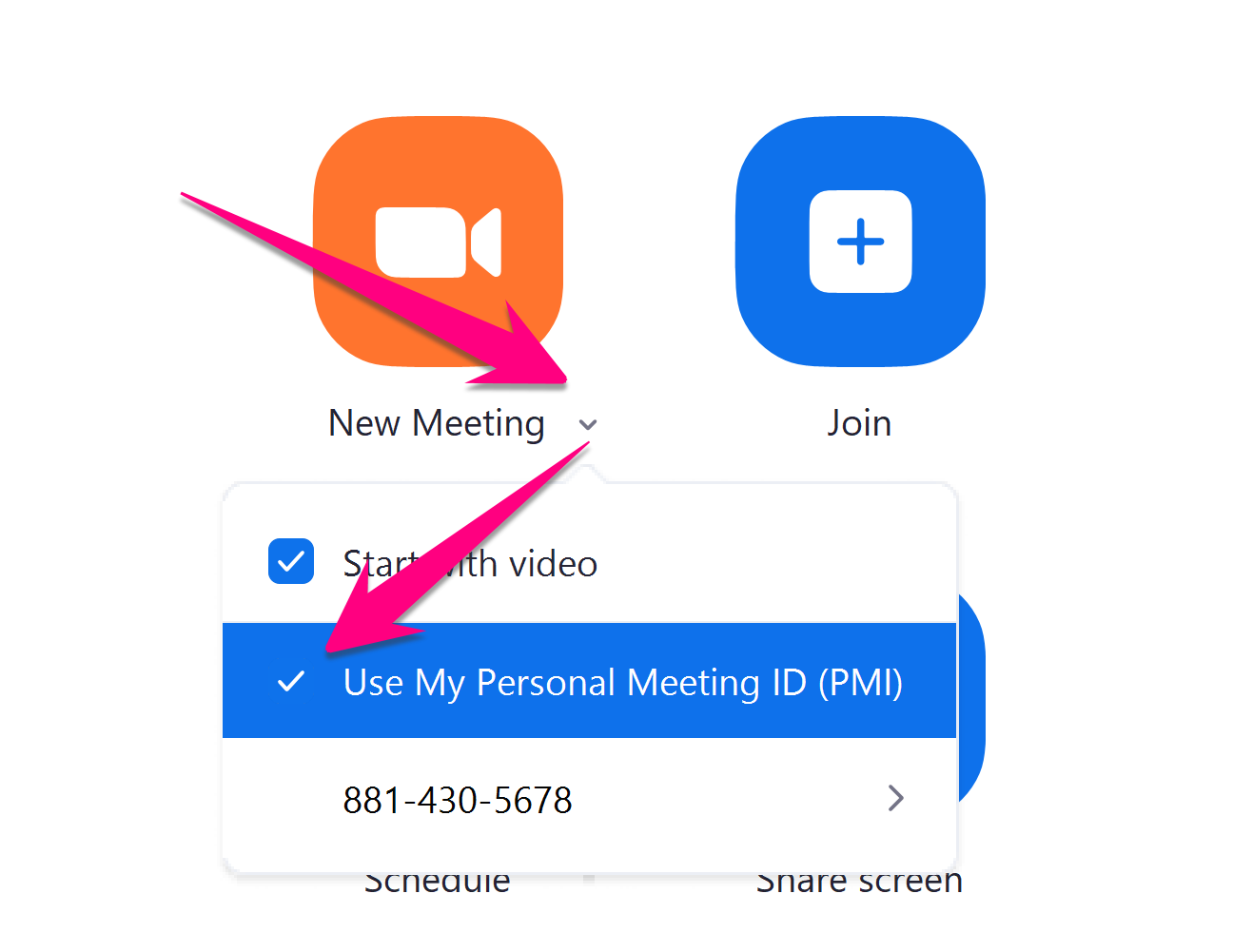
3. Check that you are using your Personal Meeting ID (PMI)
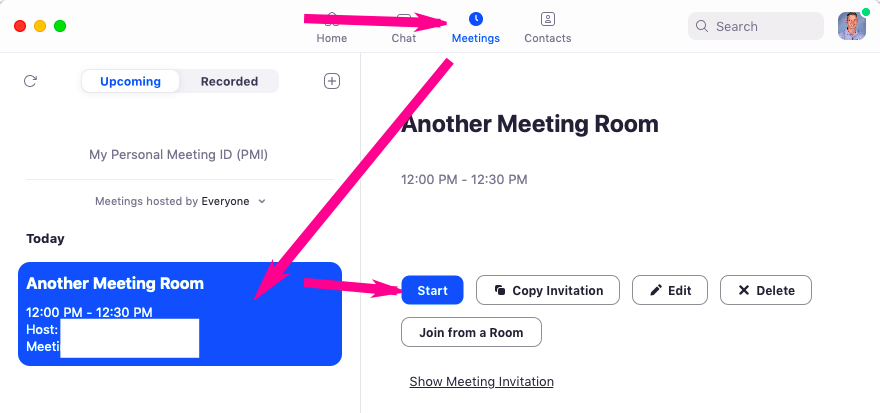
- Note: if you are using a different scheduled meeting ID, you can start that meeting from the Scheduled menu
Comments
0 comments
Please sign in to leave a comment.