
Use these steps to toggle on and off the authentication requirement for your personal meeting room:
- Note: you will need to turn it off for elementary students and back on for JH or HS students
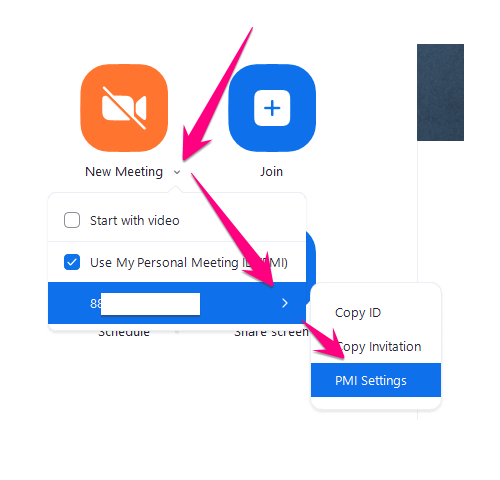
1. Start Zoom and then open your PMI settings
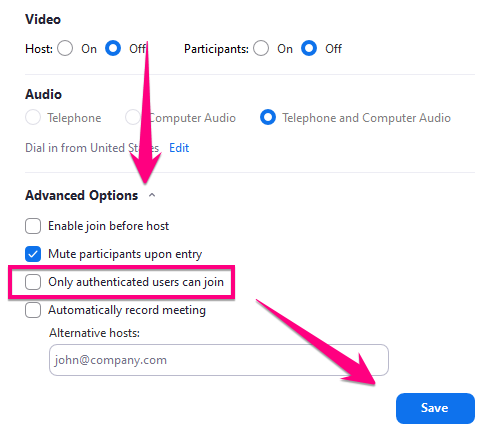
2. Click Advanced Options > Uncheck Only authenticated users can join > Click Save
3. Start your meeting

4. Before your next JH or HS class meeting, go back to these settings above and re-check Only authenticated users can join
Comments
0 comments
Please sign in to leave a comment.