
Use these steps to schedule a meeting with authentication requirement turned off:
1. Start Zoom and click Schedule

2. Fill out your meeting details and select Generate Automatically

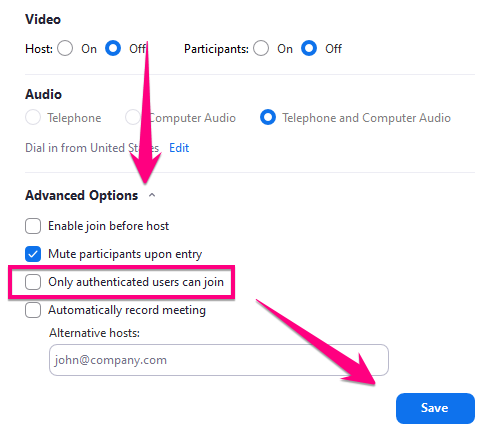
3. Click Advanced Options > Uncheck Only authenticated users can join > Click Save
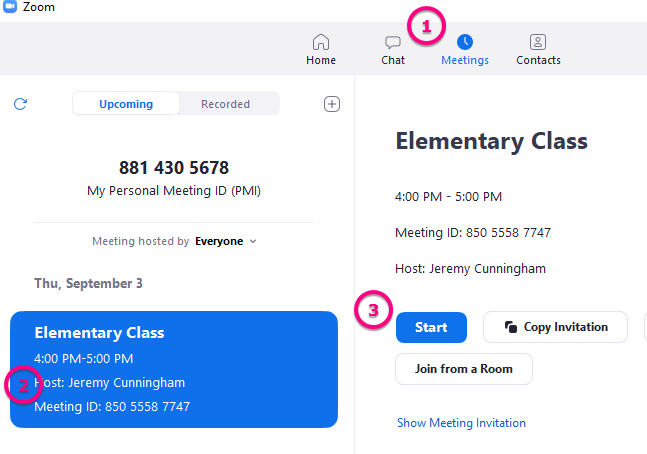
3. Go to the meetings tab to find the meeting ID number so you can give it to your students. This is also where you will start your scheduled meeting
Comments
0 comments
Please sign in to leave a comment.