
To add a Password Requirement for your Personal Meeting Room
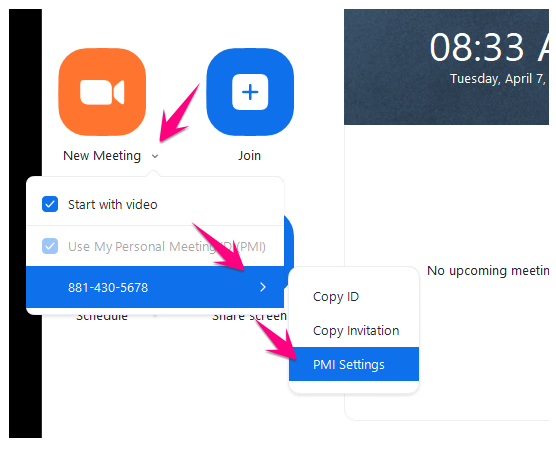
1. Open the Zoom App > Click the down arrow beside New Meeting > Click the right arrow next to your PMI number > click PMI Settings
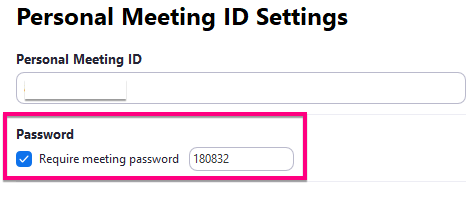
2. Add a 6-digit password
3. Save

4. Email your participants your meeting ID and pasword. DO NOT POST PUBLICLY.
Comments
0 comments
Please sign in to leave a comment.