
To use the mouse spotlight and other annotation tools
1. Log-in to your Zoom settings at: https://vcs.zoom.us/profile/setting and turn annotation on:
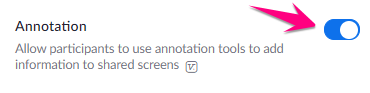
2. Quit and restart the Zoom application for the setting change to take effect
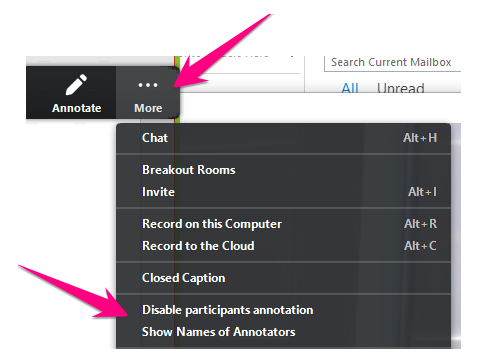
3. Click More and choose to disable your students' ability to annotate the screen, or, show names of annotators if you're allowing your students to annotate
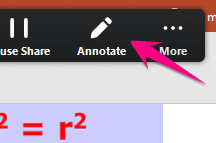
4. Click Annotate
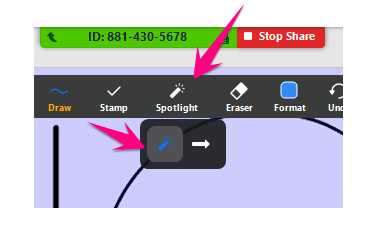
5. Hover over Spotlight, then click on spotlight wand to use the mouse spotlight
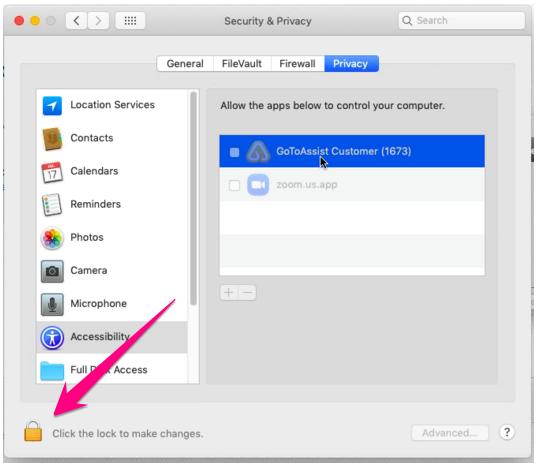
6. MAC USERS: You may be prompted to grant access to Zoom to use accessibility features. Go ahead and approve
- Click open system preferences

- Click the lock in the lower-left
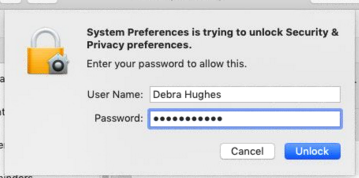
- Enter your Mac password and click Unlock
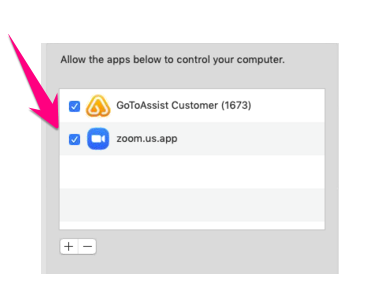
- Check the box next Zoom and you can close System Preferences
Comments
0 comments
Please sign in to leave a comment.