
How to Export an ExamView Question Bank as a Blackboard File for Moodle Import
1. Create and save an ExamView question bank
2. Then, click File > Export > Blackboard 7.1-9.0...
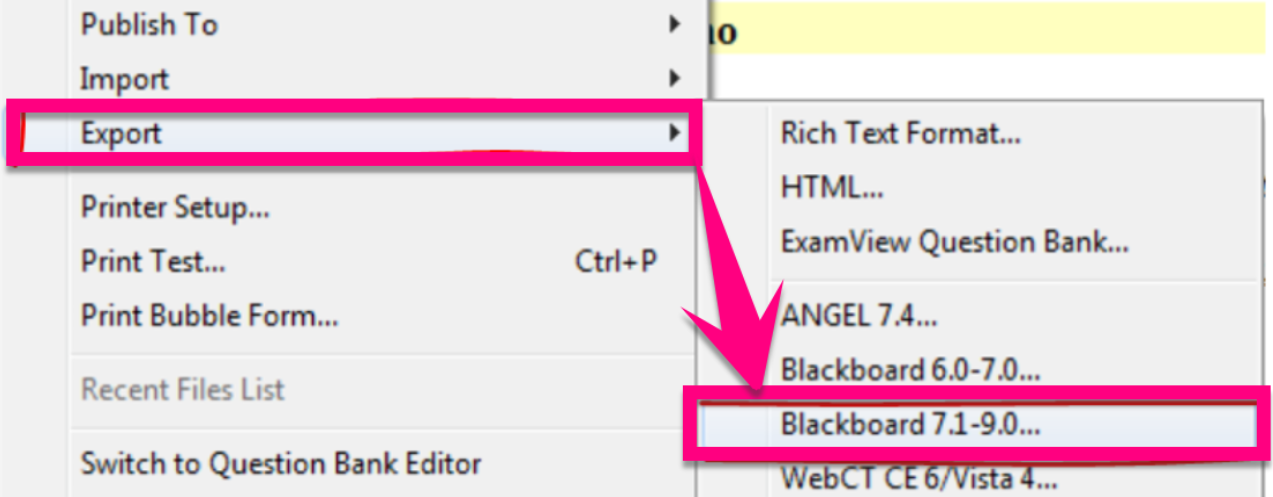
- Note: Export this file to the same folder that you saved the test bank
3. Name the file and click Save
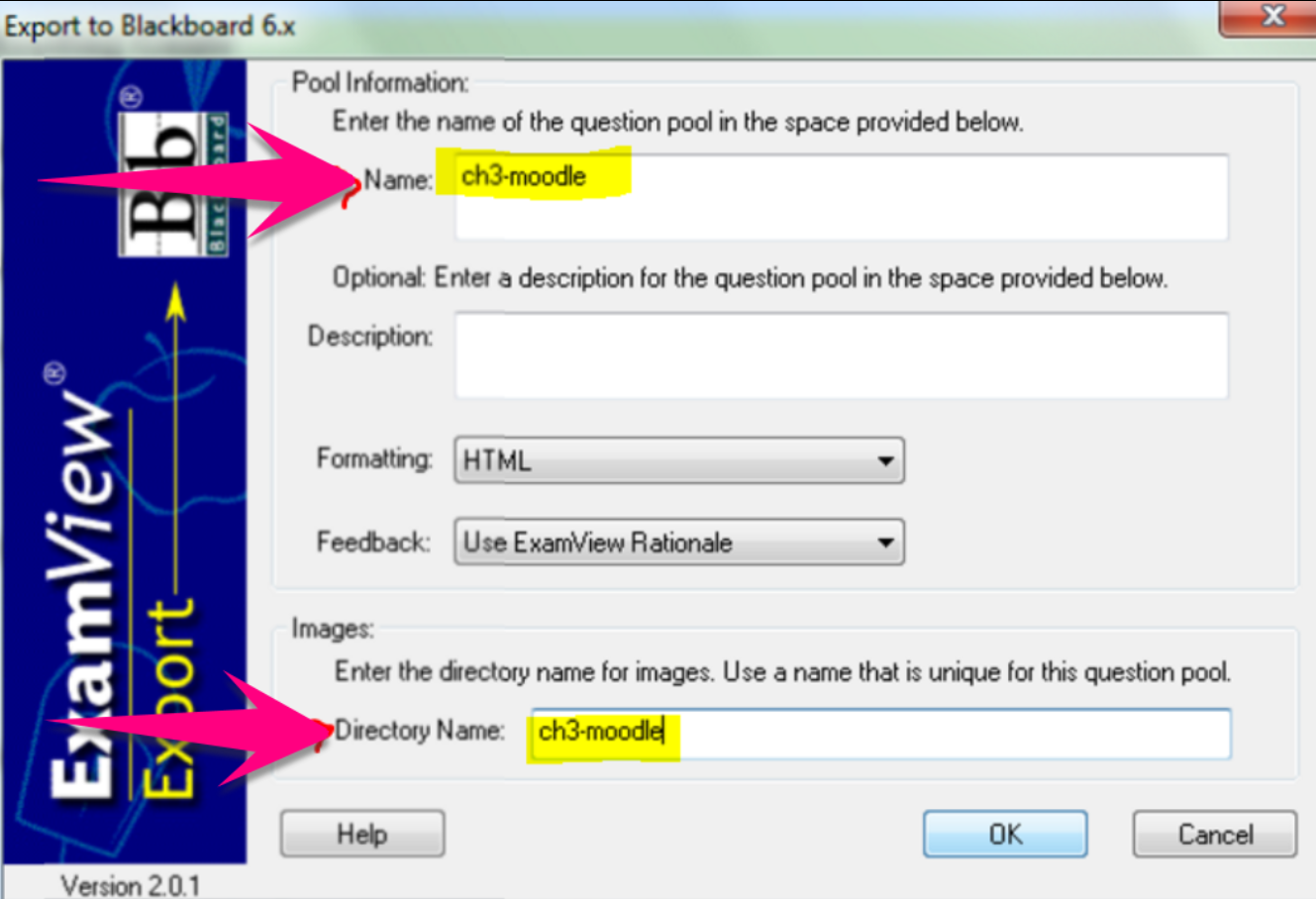
4. Type the same file name in the Name box and the Directory Name box, then click the OK button
5. Click File > Exit
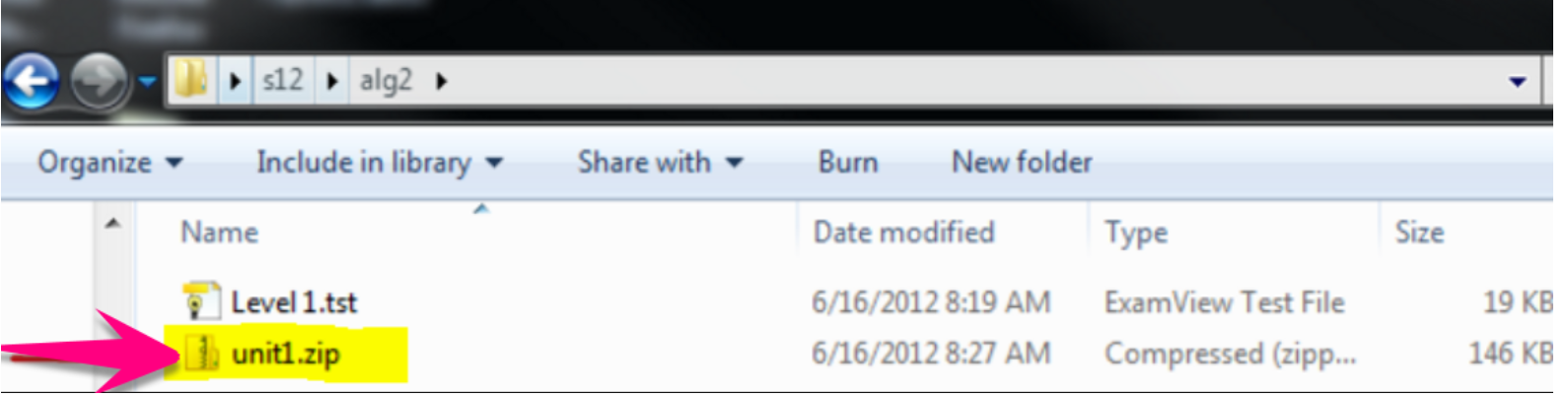
6. After the export completes, you should have a new ZIP folder in your quiz folder.
7. You’ll upload the .zip file into a Moodle quiz question bank using the Blackboard Format. Follow the steps here: https://valleychristian.zendesk.com/hc/en-us/articles/360034559231
Comments
0 comments
Please sign in to leave a comment.