
It's important to install Windows updates when they're available to keep your laptop running smoothly.
There are a couple of different ways to install Windows updates:
1. Click on the Windows Update icon when it appears in your taskbar.
- Note: If you're using your laptop to instruct students or if you're busily working away on your laptop, it would be better to install Windows updates using the next method.
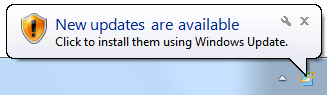
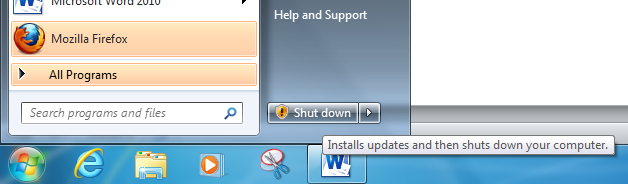
2. Click the Start button, then click Shut Down. Your laptop will install updates and shut down.
- Note: Updates may take several minutes, so do this when you can leave your laptop be for a few minutes.
Comments
0 comments
Please sign in to leave a comment.