
When you download and try to open something from the internet you might see the following message come up.
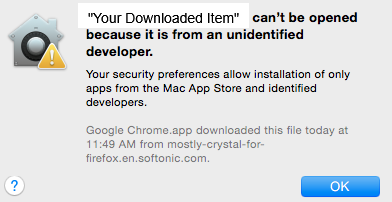
Beginning with OS X 10.7.5, Lion, Apple introduced Gatekeeper, a system preference that is designed to help keep your Mac computer safe from malicious and problematic software. The message above is Gatekeeper warning you that the item you downloaded is not from an Apple-recognized source, and therefore it may be problematic or dangerous to open. The default setting for Gatekeeper, as seen below, is to only allow items that are from the "Mac App Store and identified developers."
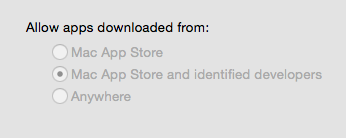
We highly recommend, as does Apple, that this setting be left at its default setting.
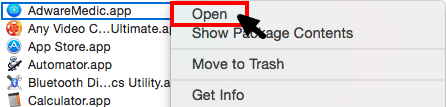
Gatekeeper is not perfect, however, and it sometimes prevents opening something that is safe to open, so Apple has provided a way to bypass Gatekeeper so that you can open items that you know are safe.
Ctrl+Click/Right click/Two-finger tap on the item you wish to open, and select Open from the menu.
Another message will pop up asking if you are really sure you want to open the item.
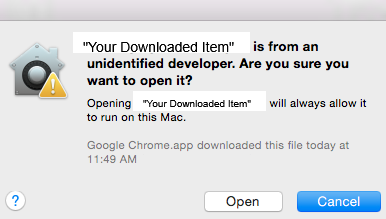
This is the final warning. Clicking on Open will open the item. Only do this if you are absolutely, 100% sure that the item is safe. If you have any doubt at all about the validity of something you downloaded, please delete it or contact the Technology Office so that we can check it out for you.
Comments
0 comments
Please sign in to leave a comment.