
VCS filters your Spam/Bulk email in two ways. The first line of defense is our McAfee cloud-based filter which sends a daily email notification of quarantined emails. For more detail on McAfee Click here.
The second Spam filtering we use is the Outlook Junk filter. This provides double filtering and can be difficult to manage.
With the steps below you can quickly turn off the Outlook Junk filtering option and simply rely on McAfee's cloud based filtering.
1. Open Microsoft Outlook and click the HOME tab
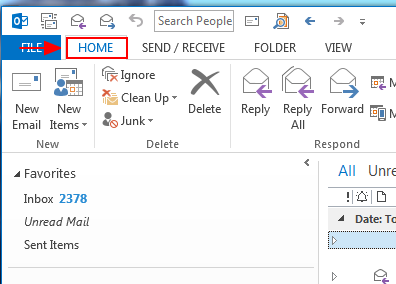
2. Next click the Junk drop down and then select Junk E-mail Options

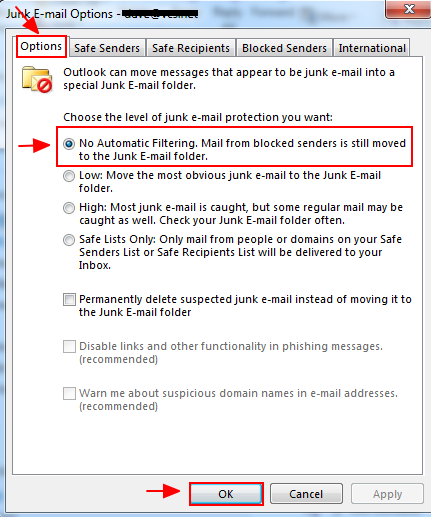
3. At the Options tab click No Automatic Filtering. Mail from blocked senders is still moved to the Junk E-mail folder. Click OK to save and exit
Comments
0 comments
Please sign in to leave a comment.