
How to create a Moodle Quiz
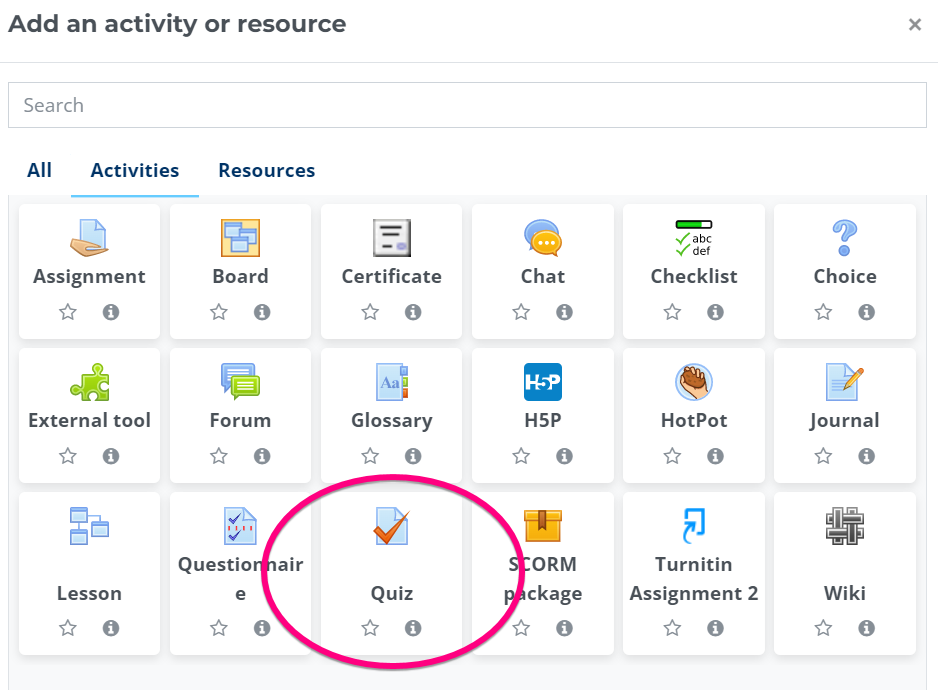
1. Add a "Quiz" activity
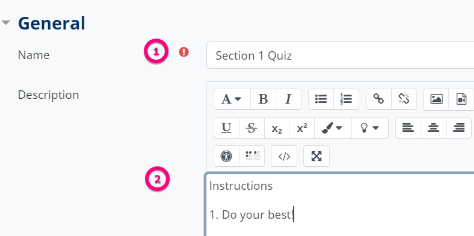
2. Give your quiz a name and some instructions for your students
3. Apply timing settings, if desired
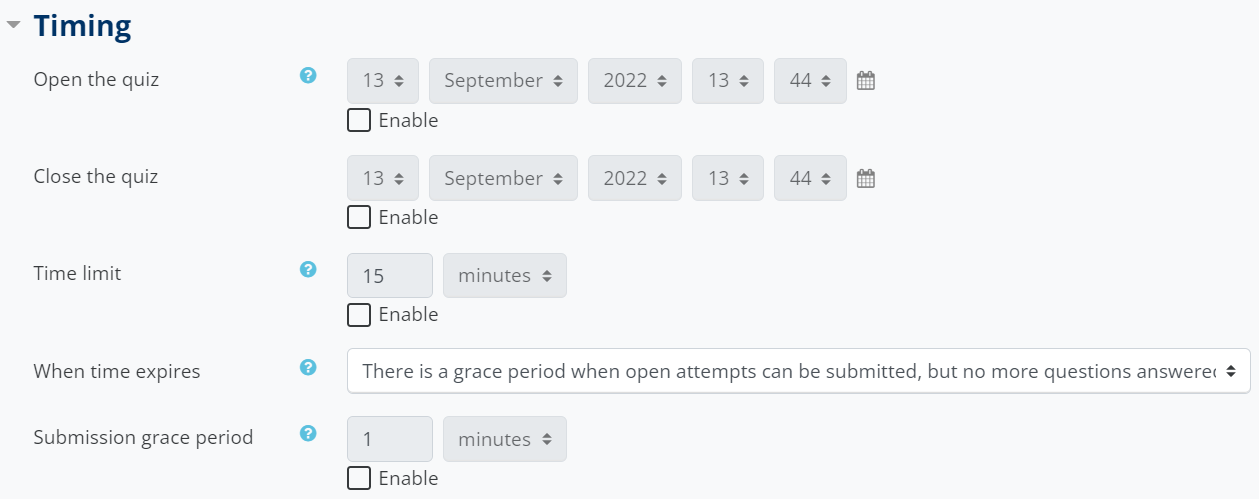
4. There are no other settings on this page that you need to apply, however, if you're interested in these optional settings, click the blue question mark icon to learn more about them, or, visit this link.

5. Scroll down and click "Save and display"

Comments
0 comments
Please sign in to leave a comment.