To login to Learn@VCS:
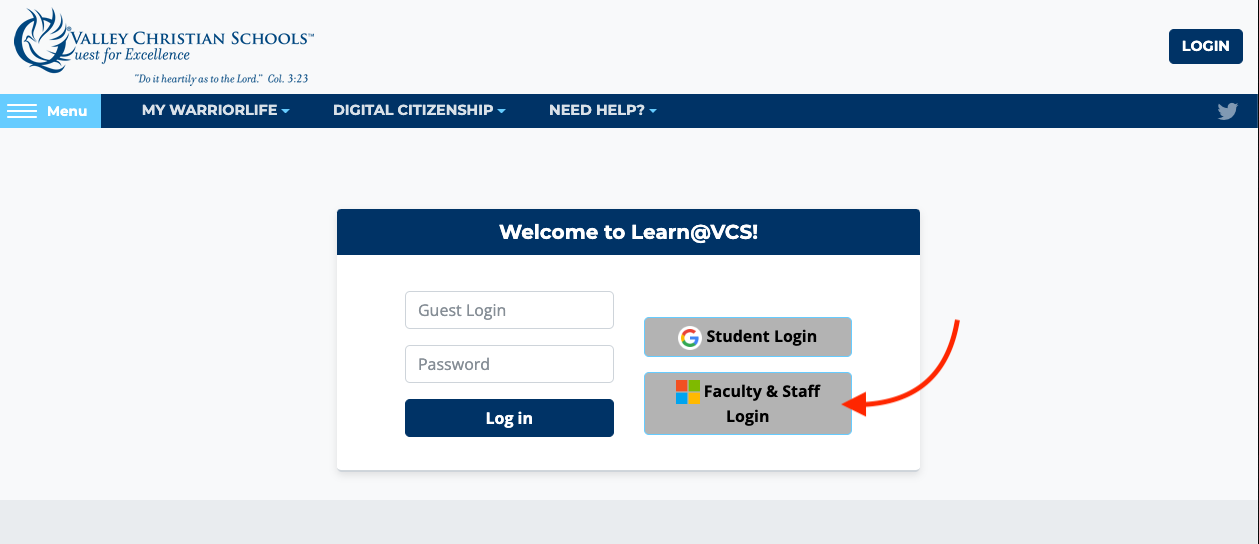
1. Log in to https://learn.vcs.net by clicking the Log in button in the upper right hand corner of the page. Click the Faculty & Staff Login button and use your VCS credentials to authenticate.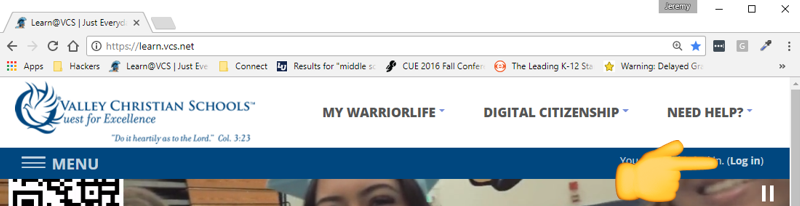
Is that service or webpage down? Click here to find out --->

To login to Learn@VCS:
1. Log in to https://learn.vcs.net by clicking the Log in button in the upper right hand corner of the page. Click the Faculty & Staff Login button and use your VCS credentials to authenticate.
Comments
0 comments
Please sign in to leave a comment.