
To trim a video on a PC:
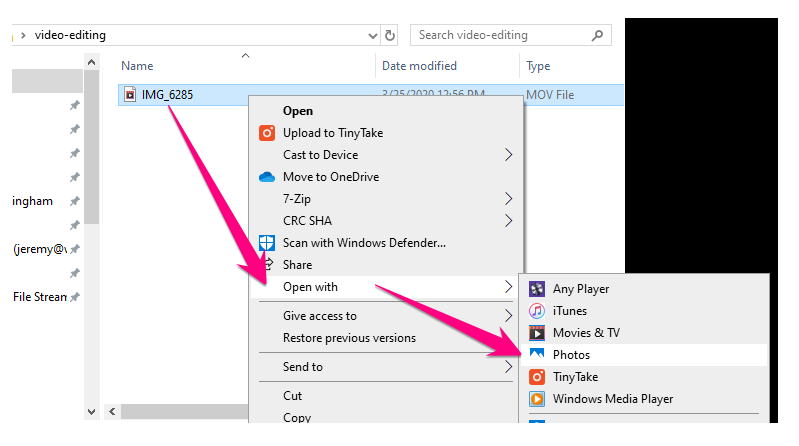
1. Right-click on the video file > click Open with > click Photos
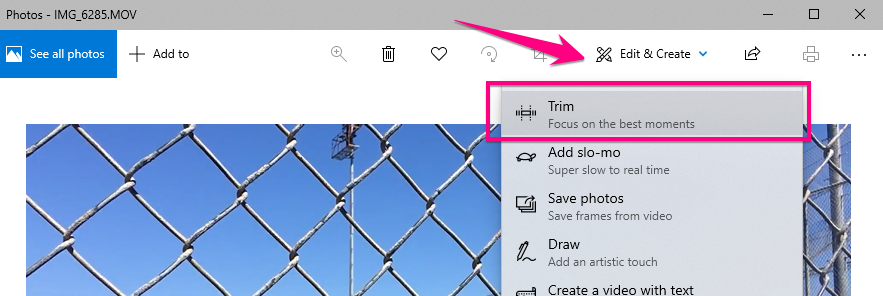
2. Click Edit & create > click Trim
3. Select the video that you want to KEEP in between the 2 white circle sliders
- Use the blue circle slider to preview and play the content between that you want to KEEP
- Click Save as when you're happy

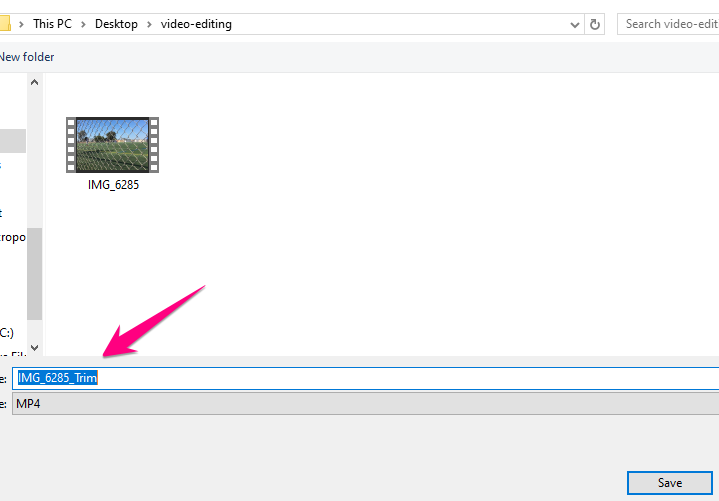
4. Save your new trimmed file; your original file will remain unedited as a backup
Comments
0 comments
Please sign in to leave a comment.