
1. Click the assignment link on your page

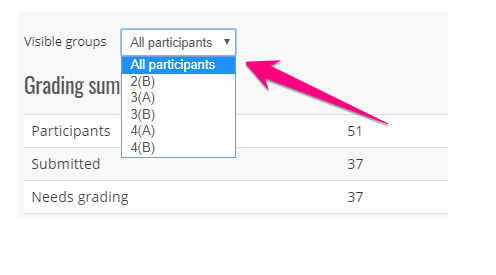
2. Select a class period (or just leave it on all participants)
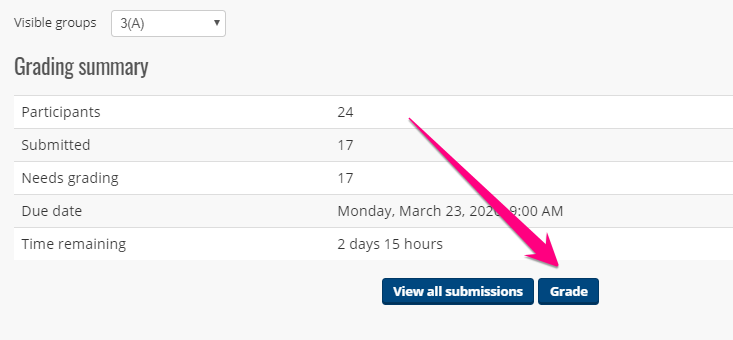
3. Click Grade
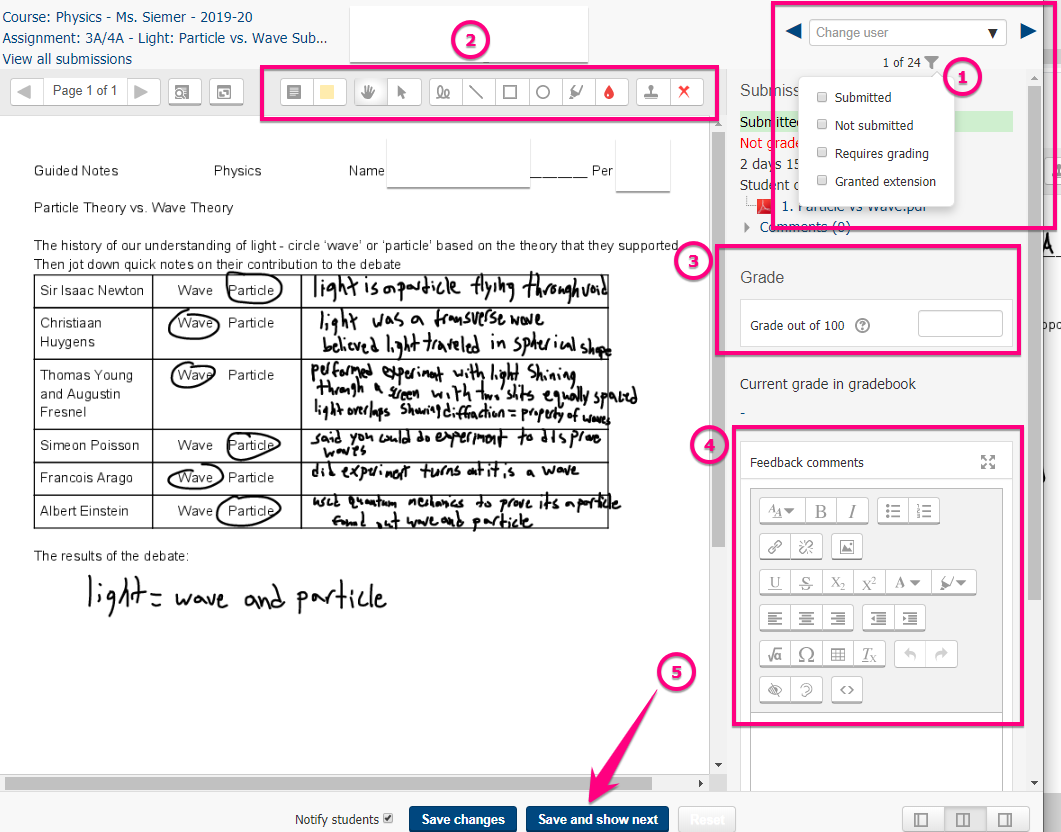
4. Evaluate alphabetically (and by period)
You can view and enter scores into PowerTeacher or you can enter scores in Moodle and download a spreadsheet and even import that spreadsheet into PowerTeacher
- Use the filters to select particular students or filter by submission status
- Use annotation tools to mark up the submission. A second PDF will be generated and both will be visible to you and the student
- Enter a score
- Enter feedback
- Click Save and show next; a notification email will be sent to the student
- Repeat steps for grading all work
Comments
0 comments
Please sign in to leave a comment.