
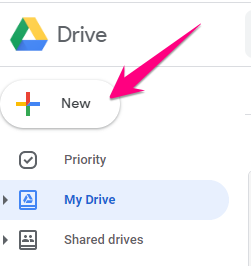
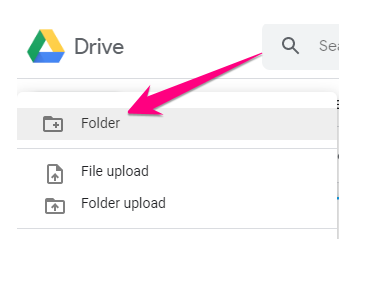
1. Log in to Google Drive using your Warriorlife account at https://drive.google.com, click on New then click Folder
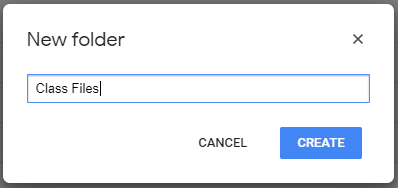
2. Name the folder and click Create
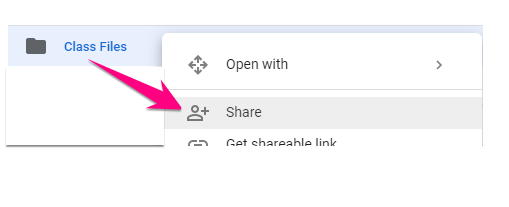
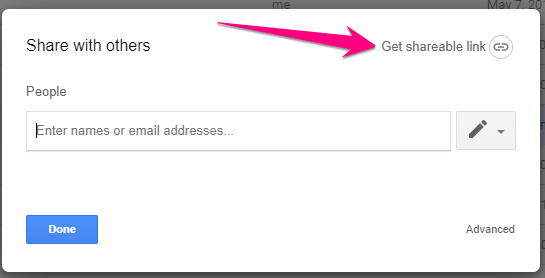
3. Right-click on the folder and click Share
4. Click Get shareable link then click Done
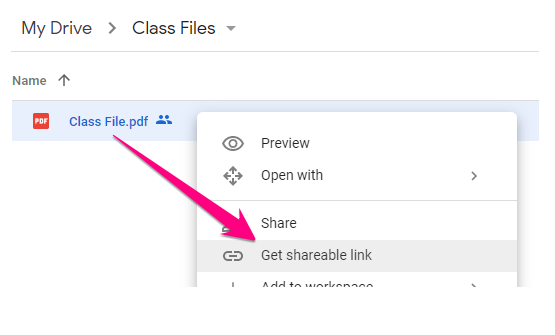
5. Upload files to this folder and right-click on them to get the shareable link. Provide this link to others via email, Moodle, etc. so they can access the file.
Comments
0 comments
Please sign in to leave a comment.