
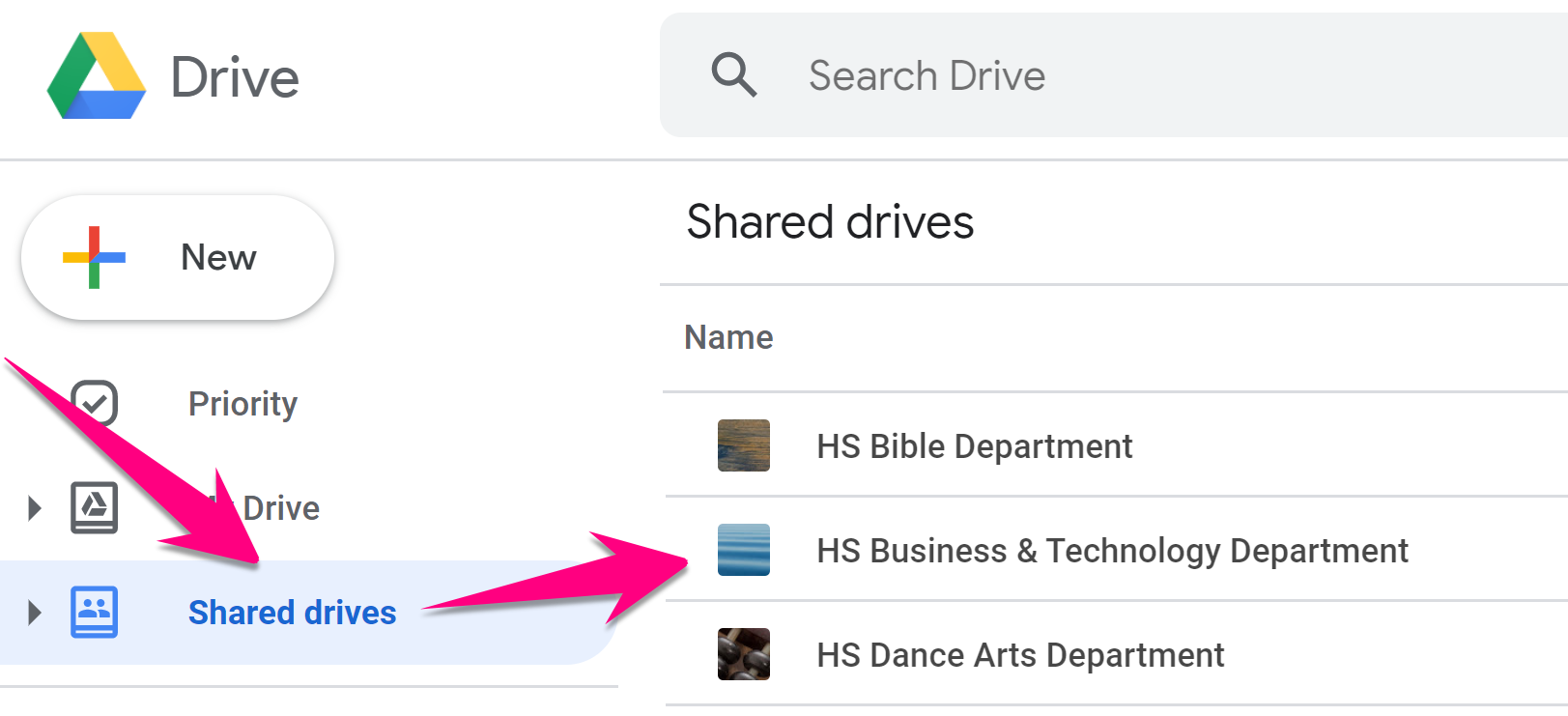
1. Log in to Google Drive using your Warriorlife account at https://drive.google.com, click on Shared Drives, then double-click on your department shared drive
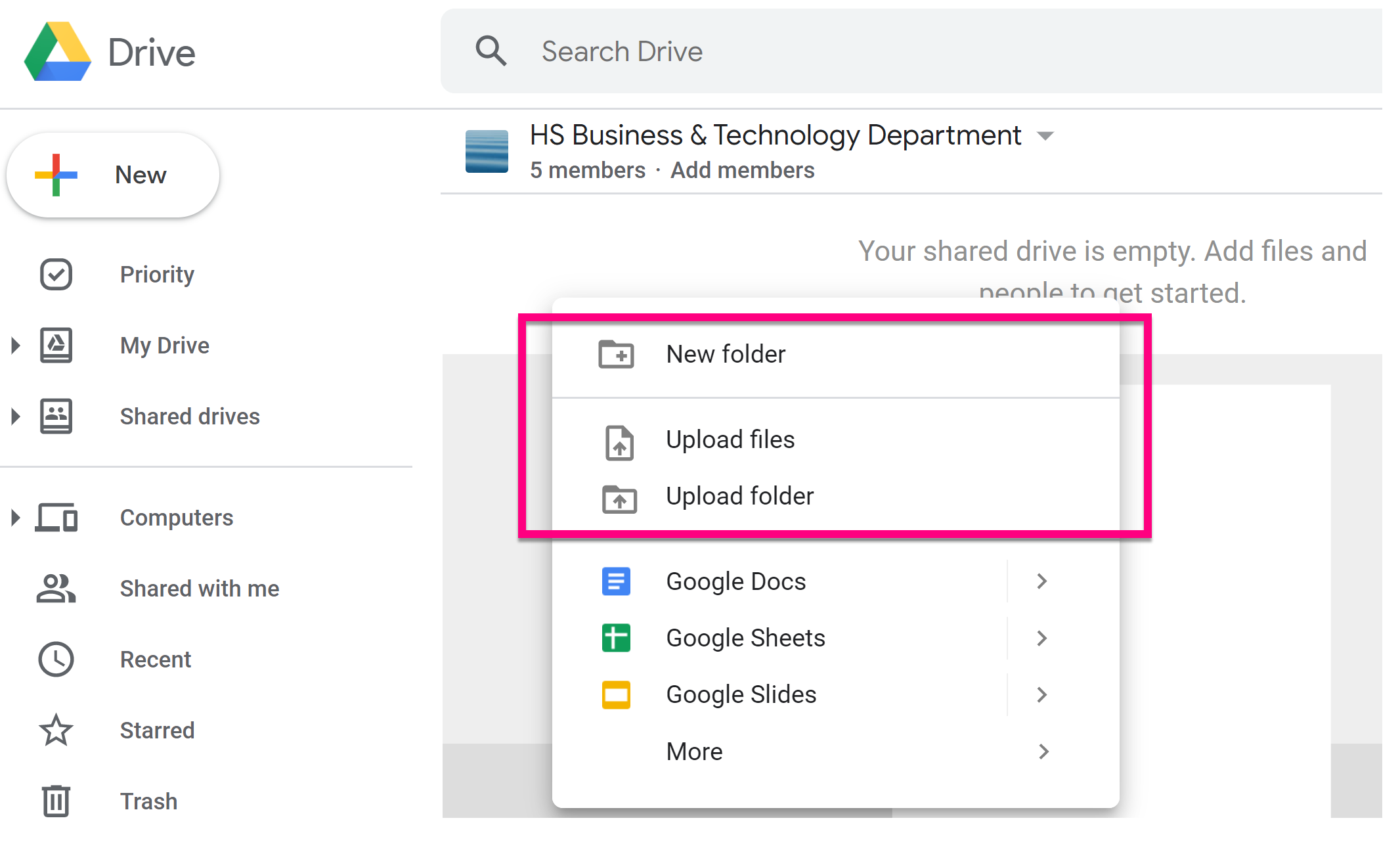
2. Right-click above your shared drive and use the menu to upload files or whole folders from your hard drive, a thumb drive, or another external drive
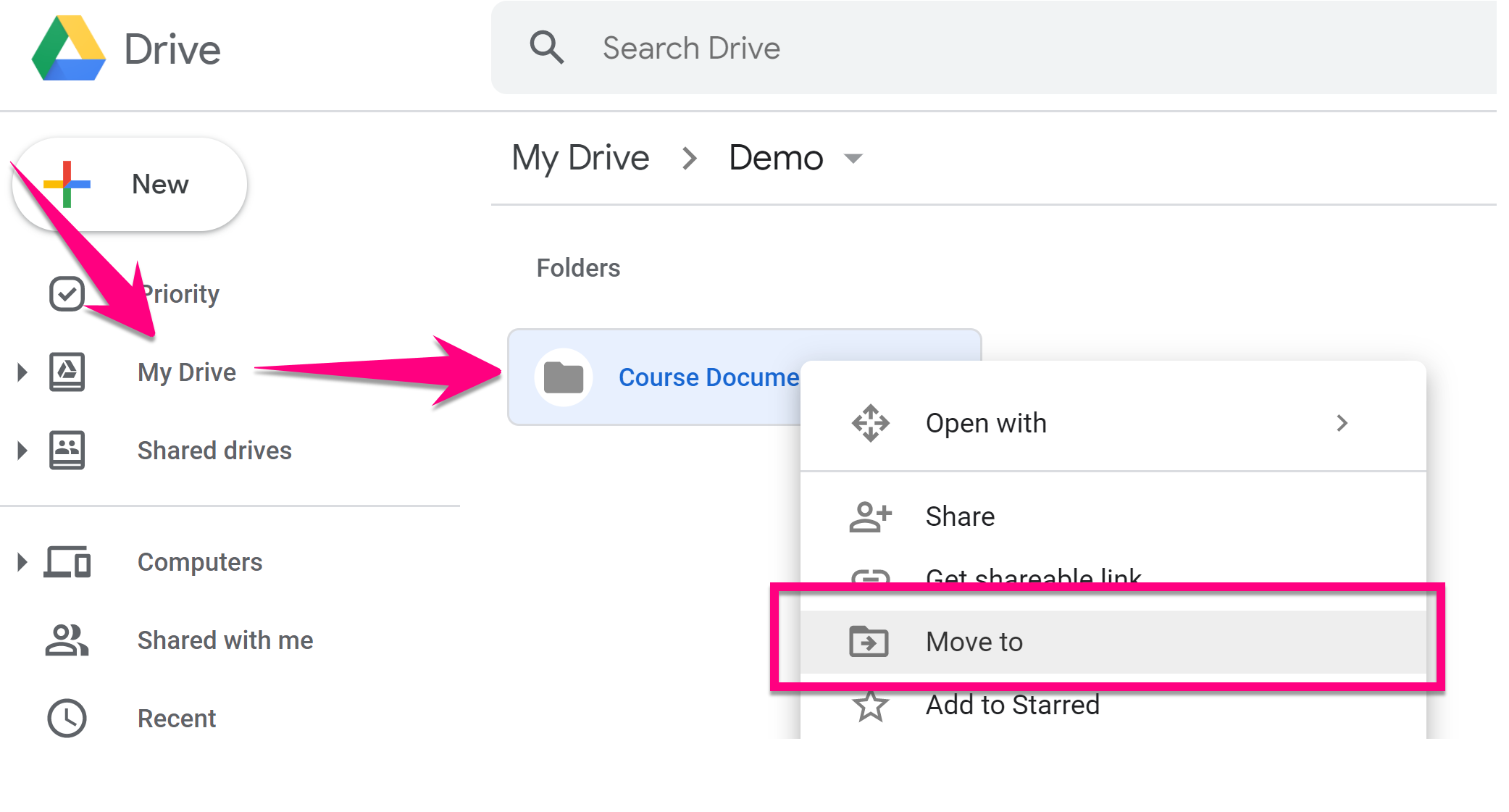
3. Also, if you already have a folder in your Google Drive that you want to move to your Shared Drive, right-click above that folder and select Move to, then select your Shared Drive
Comments
0 comments
Please sign in to leave a comment.