
1. Close all open programs including Outlook
2. Start the Software Center Program
- Click the Start button > Type “software” in the search field > Click Software Center
| Windows 7 | Windows 10 |
 |
 |
- If Software Center is missing please email helpdesk@vcs.net or drop in the ITC.
3. Click AirParrot 2
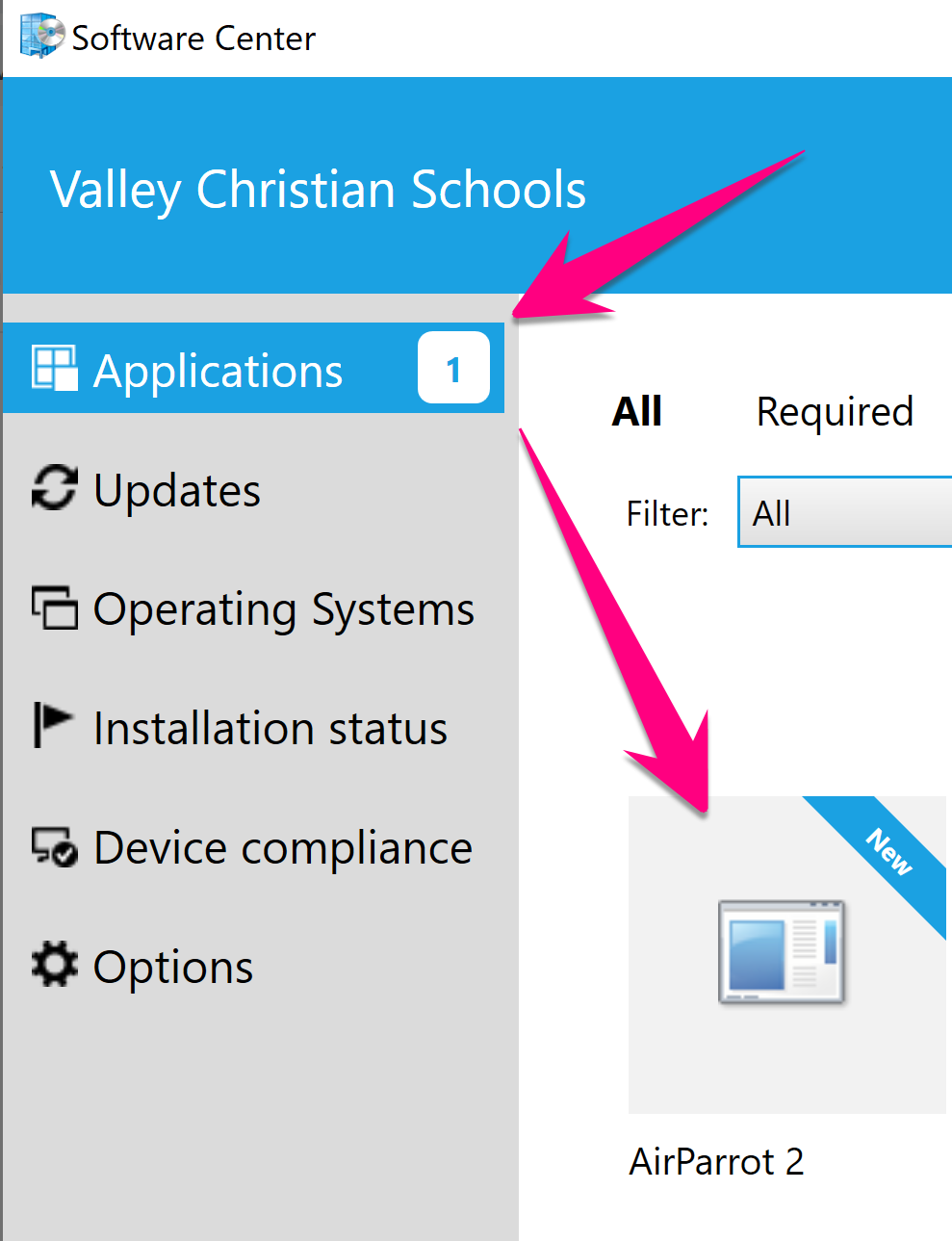
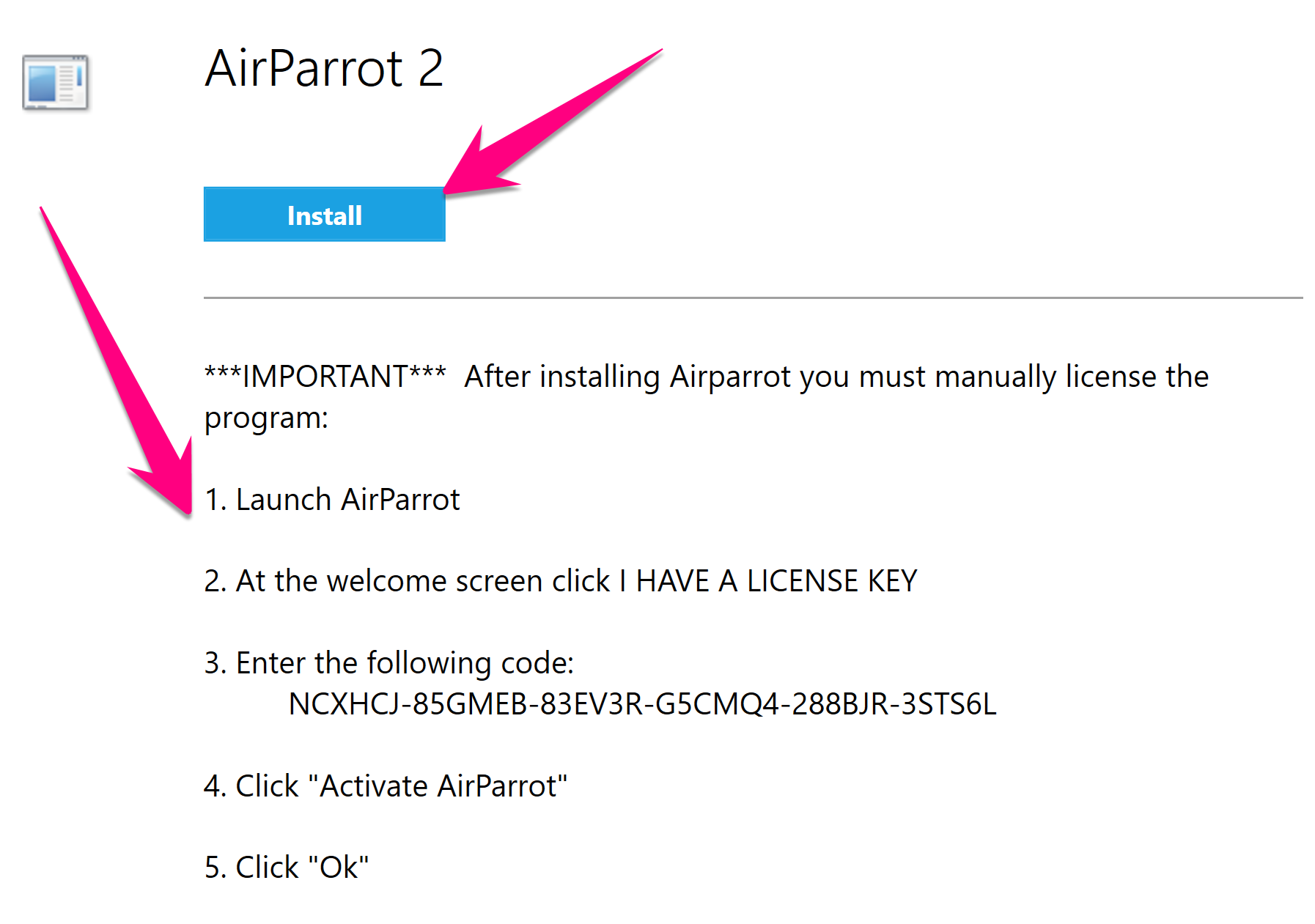
4. Click Install button and wait a moment for installation to complete, then follow the instructions on the page to activate using the license key.
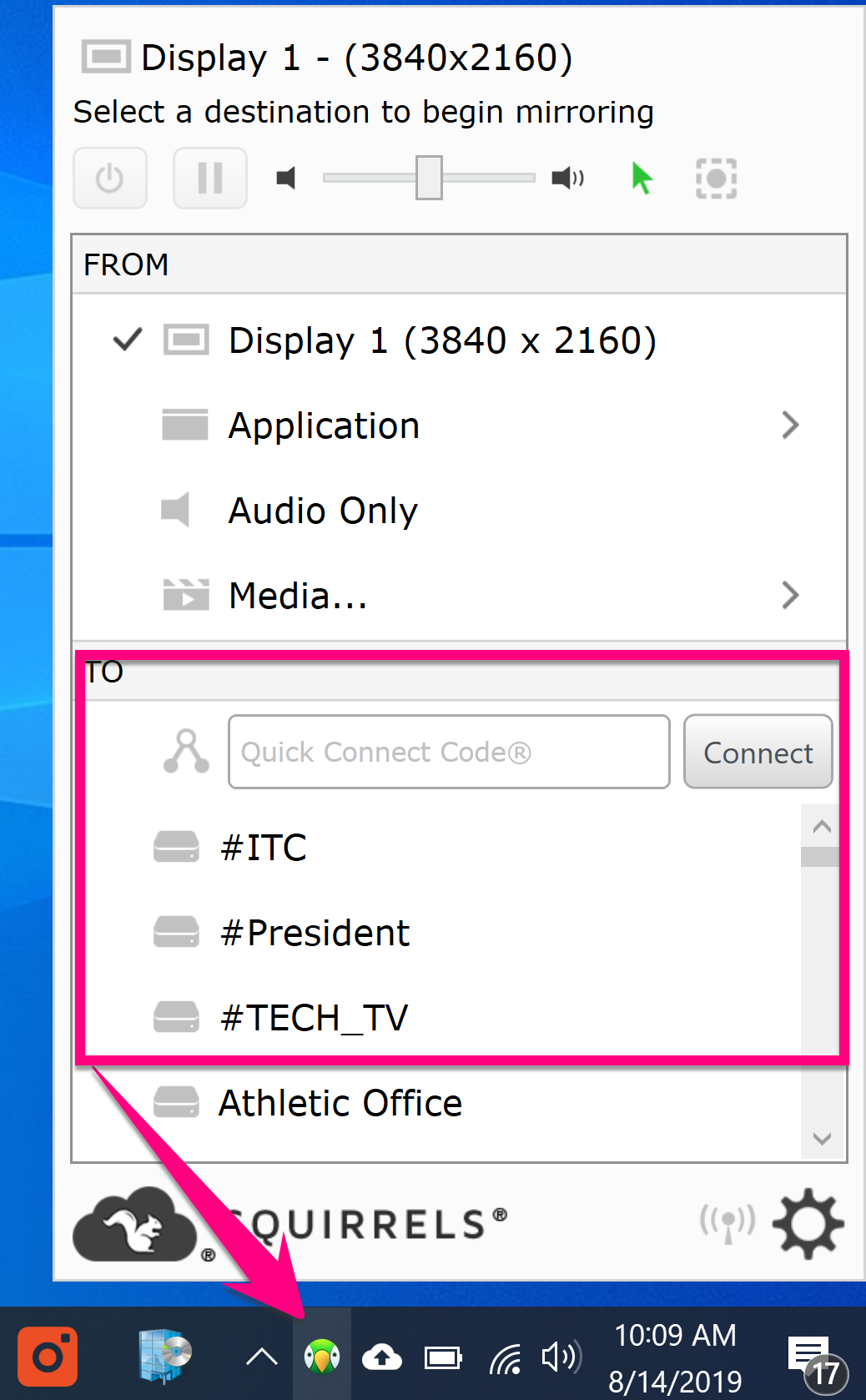
4. Click the AirParrot icon in the lower right of your task bar, then select your room and connect
Comments
0 comments
Please sign in to leave a comment.