
Welcome to Google Chromebooks!
A Google Chromebook is a laptop that only runs the Google Chrome Web browser. It's designed to turn on and go online super fast!!!
To start using Chromebooks:
1. Open up a Chromebook and press the power button in the upper-right of the keyboard

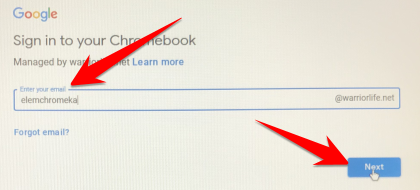
2. Enter your username and click next
- K-3: Your username is your grade level username
- 4-5: Your username is your personal Warriorlife username
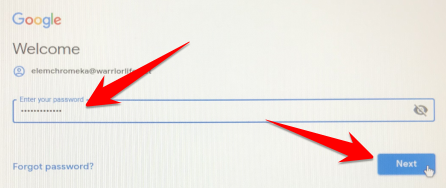
3. Enter your corresponding password and click next
4. The Chromebook will automatically open a Chrome browser window and our elementary classroom pages in Learn@VCS
- Your students can access your class page by clicking a grade level and then your classroom name
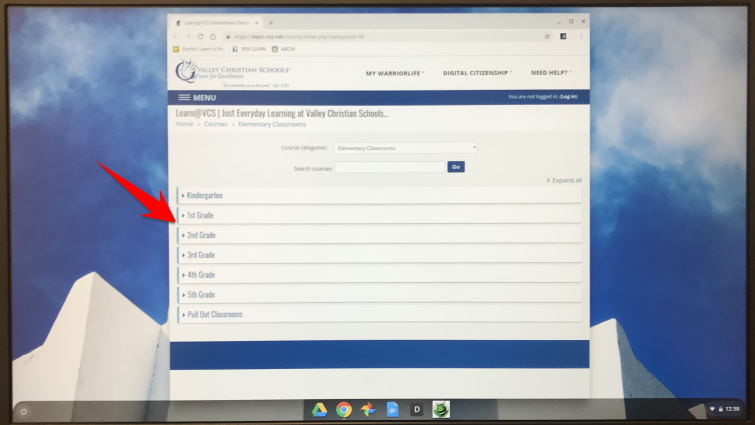
5. We've provided some quick links to your favorite websites... click them once to go there

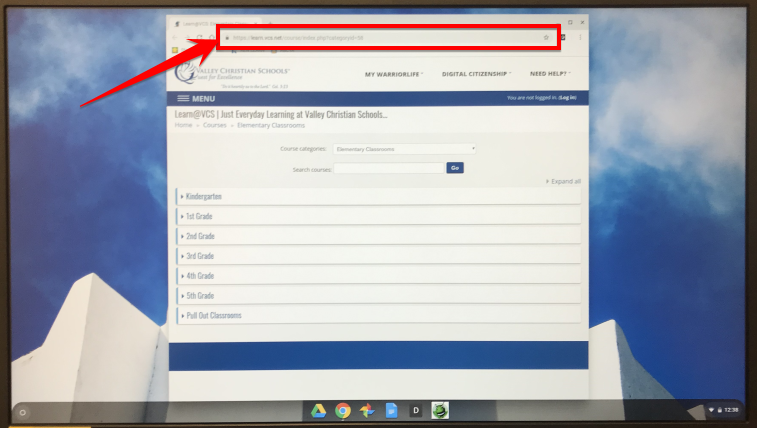
5. Your students can also go to other websites by just typing in the URL
Comments
0 comments
Please sign in to leave a comment.