
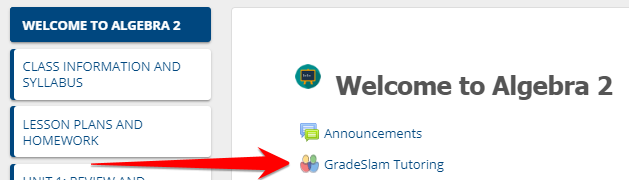
1. Go to your class page in Learn@VCS and click the GradeSlam Tutoring link
VIEW SESSION DETAILS
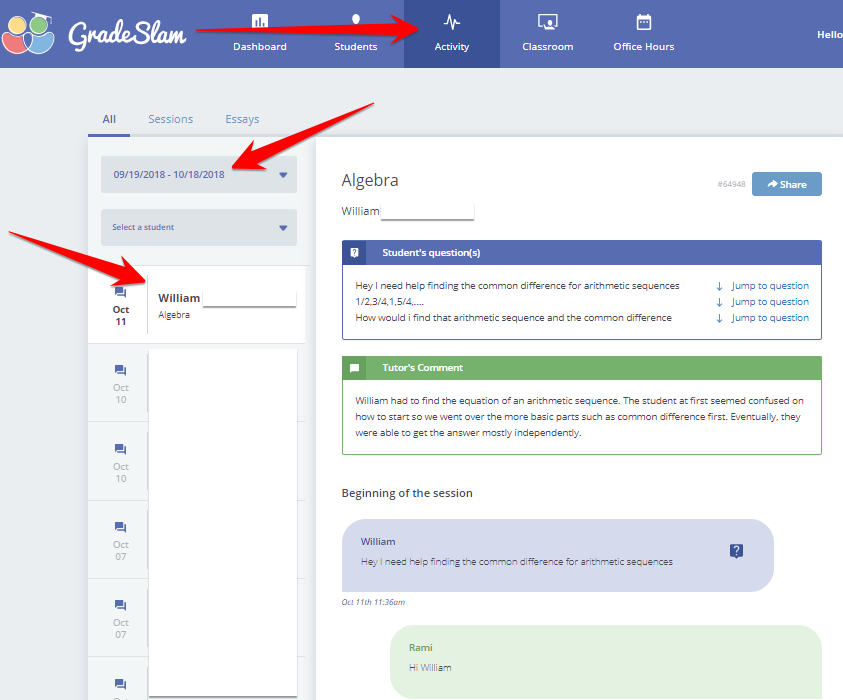
2. Click Activity > select a date range > click on a session and review the session
CHECK FOR FLAGS
3. Click Students > Check the Flags column > Click on a flag to see details

Comments
0 comments
Please sign in to leave a comment.