
How to Duplicate Quarterly Lesson Plans
1. Go to your course page and click Turn editing on
2. Click Edit > Duplicate next to the quarter you want to duplicate.
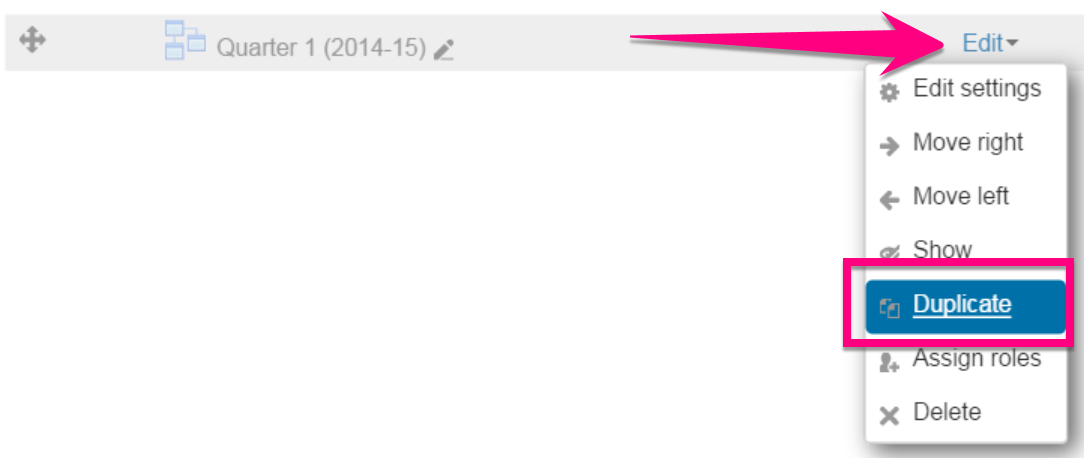
3. Click the pencil icon next to the duplicated quarter, change the year to 2019-20, and press the Enter key

5. Proceed with updating last year’s lesson plans to reflect this year’s dates and lesson plan changes
6. Leave last year’s lesson plan pages hidden and preserved.
Comments
0 comments
Please sign in to leave a comment.