
You can check your students' activity in your class page by checking the system Logs.
To check system logs:
1. Click on an activity on your course page

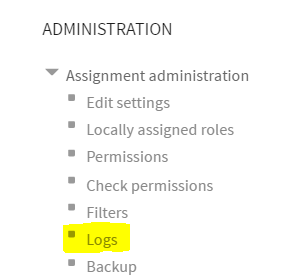
2. Click the Logs link in the administration menu
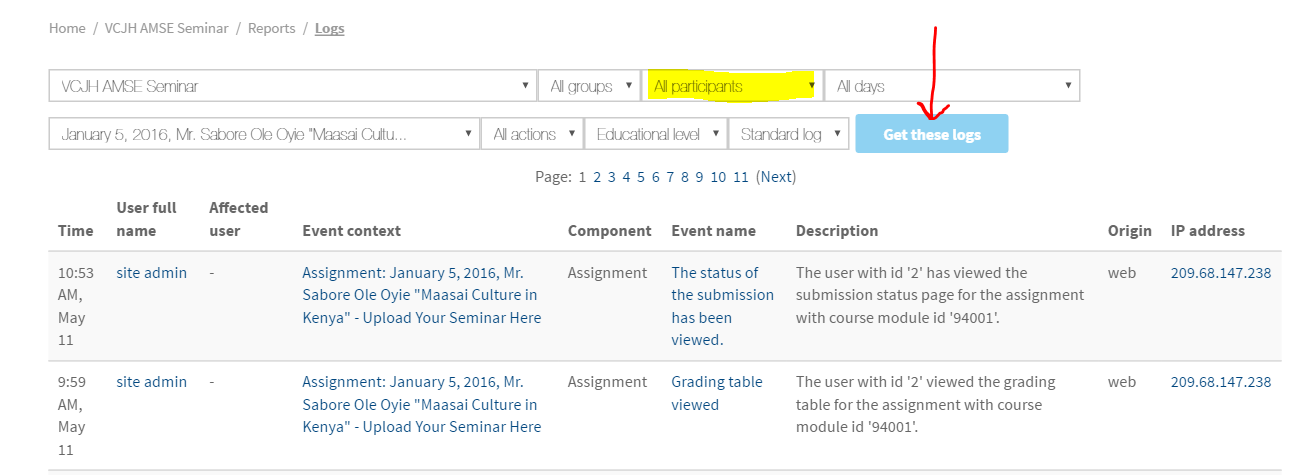
3. Select the logs you'd like to see and click Get these logs. Then, view all logs including views, clicks, and submissions.
Comments
0 comments
Please sign in to leave a comment.