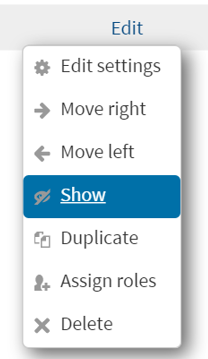
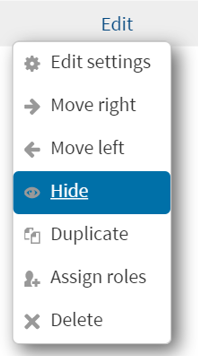
How do I hide/show content in Learn@VCS? Follow Jeremy Cunningham July 07, 2023 19:05 Updated To hide/show content in Learn@VCS: 1. Log-in to Learn@VCS, go to a course page, and click Turn editing on 2. Click the Edit menu beside an element and click Show or Hide Related articles Ho do I upload a file to Learn@VCS? How to add an H5P activity on your Moodle page Log-in to Warriorlife and create, edit, and collaborate How to log in to Schoology Subscribe to the Distance Instruction Training Calendar Comments 0 comments Please sign in to leave a comment.

Comments
0 comments
Please sign in to leave a comment.