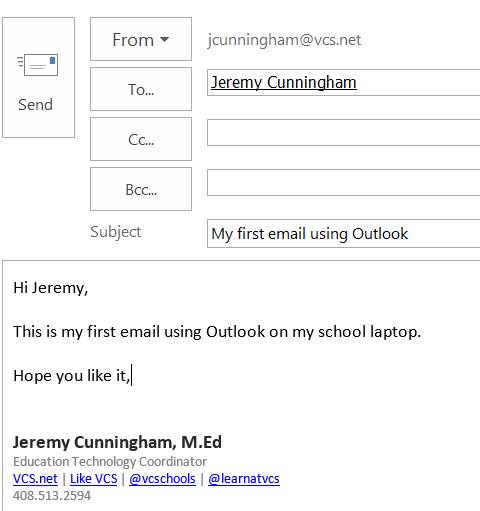
How do I email my colleagues using Outlook (PC)? Follow Jeremy Cunningham July 07, 2023 18:46 Updated To email your colleagues using Outlook on your school laptop: 1. From the Home tab, click New Email and click the To, Cc, and/or Bcc buttons to open the address book 2. Search the "Global Address List" for colleagues and double-click the name(s) to add message recipients and click OK when done. 3. Compose your message and click Send. Related articles How to Add Warriorlife Mailbox to Outlook (PC) Restore deleted items in Outlook What is the size limit for email and email attachments? What are some good Email Etiquette tips? VCS Print Reduction Program Comments 0 comments Please sign in to leave a comment.

Comments
0 comments
Please sign in to leave a comment.