
Oops you suddenly realized an email is missing from Outlook and it was purged from your Deleted Items folder or you "hard deleted" by pressing Shift+Delete. The Recover Deleted Items command could save your day.
Note: This article is for PC, for Mac go here
1. From Outlook, click the Folder tab and select Recover Deleted Items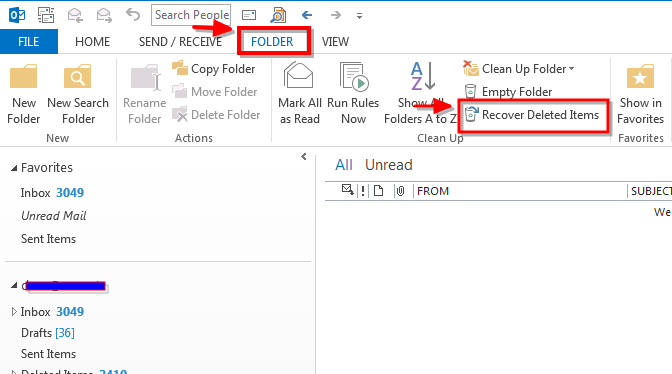
2. Click the message you want to recover, then click Recover Selected Items
- To select multiple items, press Ctrl as you click each item
- Recovered items are restored to the folder you're working in
- You can recover up to 14 days of deleted items
Comments
0 comments
Please sign in to leave a comment.