
To save a web page as a PDF using Google Chrome:
1. Right-click on the web page and select Print.

2. Check the "Destination" of the print job. If it's not "Save as PDF", click the Change button and select "Save as PDF".
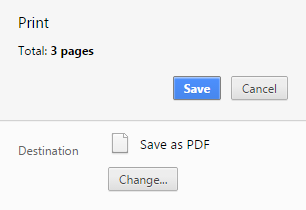
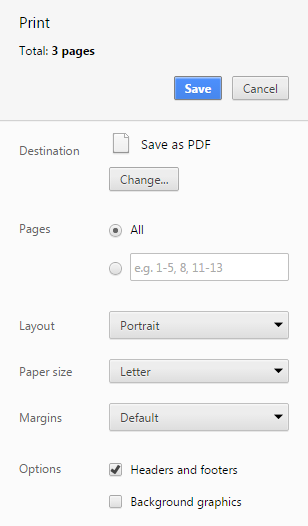
3. Select any other print settings and click Save.
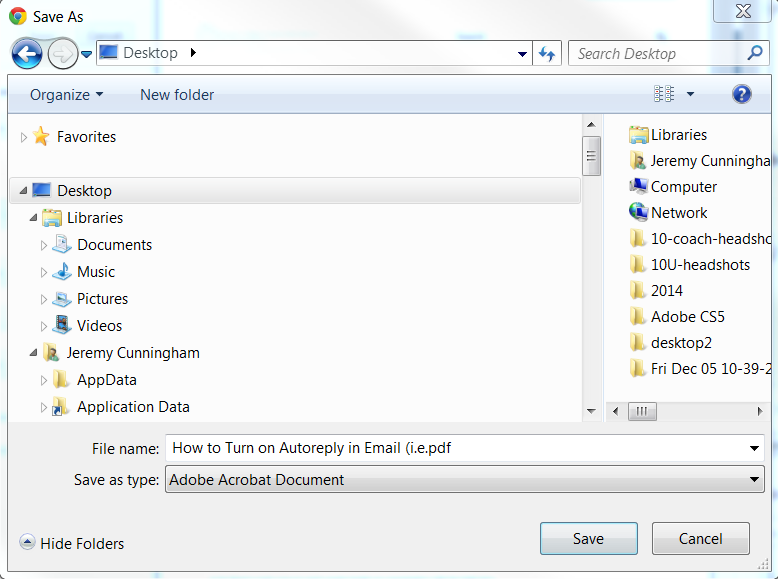
4. Select where you'd like to save the PDF, edit the file name if you'd like, and click Save.
Comments
0 comments
Please sign in to leave a comment.