
To upload a file to a Moodle page:
1. Type the name of the file into the page. It is also helpful to type a note about what to do with the file link
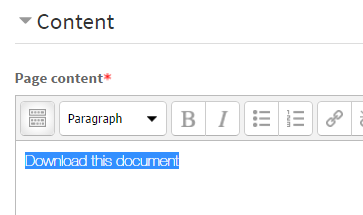
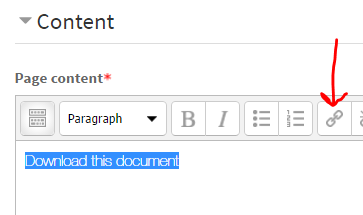
2. Click the Insert Link button on the formatting toolbar
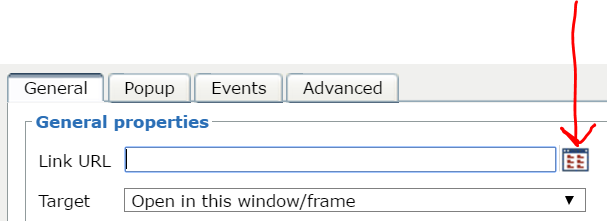
3. Click the Browse button
4. Click Upload a file and then click Choose File
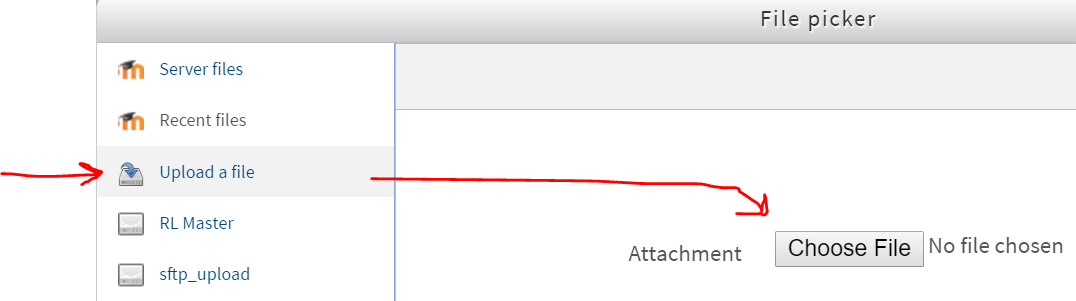
5. Select your file then click Upload this file

6. If you want to add a fancy document icon next to the link, click the Advanced tab and type one of these codes in the Classes field
- PFD: pagepdf
- Word doc: pagedoc
- PowerPoint: pageppt
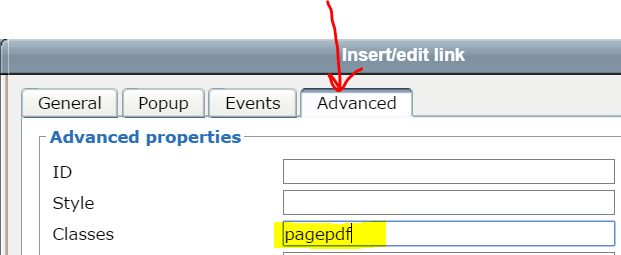
7. Click Insert

8. Finish editing the page content, then scroll down and click Save and display so you can proof your page content

9. This is what it could look like

Comments
0 comments
Please sign in to leave a comment.